How to Generate Website Thumbnails for a List of URLs
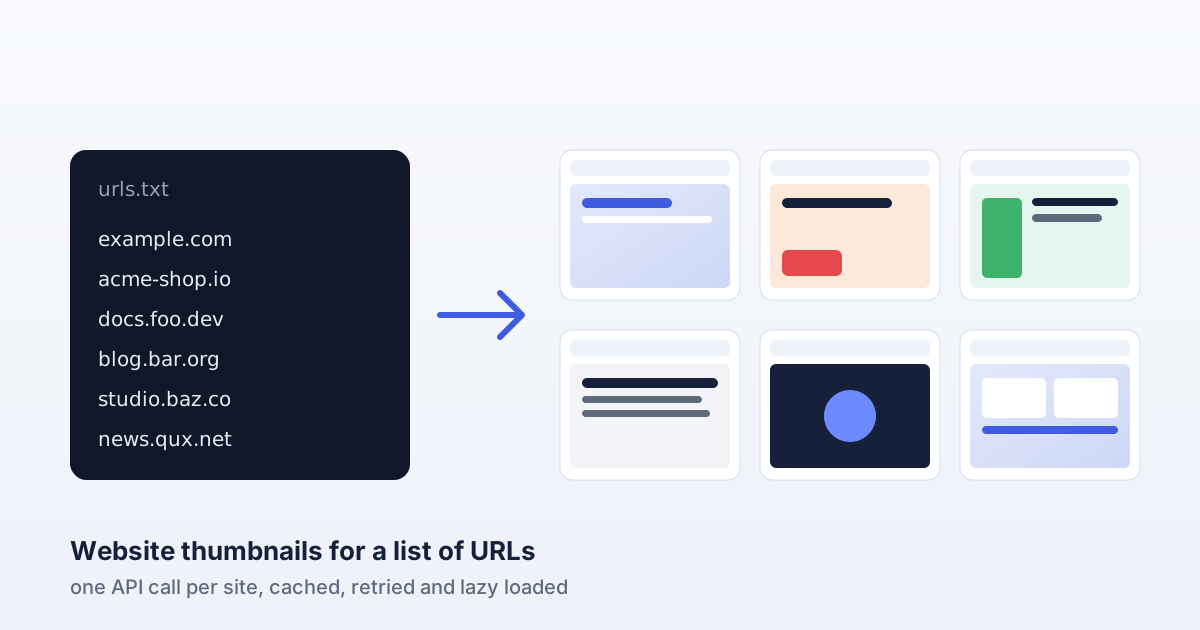
A directory of startups, a bookmarks page, a client portfolio, a link preview in a CMS: they all need a small picture of each website, and they all start from the same thing, a list of URLs. Doing it by hand stops working at about ten sites. This guide shows how to generate website thumbnails for a list of URLs with one API call per site, then make the result fast and cheap to keep up to date: the right capture size, a small script that caches and retries, and markup that lazy loads the images.
Step 1: pick a thumbnail size before you capture anything
A thumbnail is a screenshot of the top of a page at a fixed size. Decide the size from the place it will be shown, then capture at twice that size so it stays sharp on high-density screens. Keep the aspect ratio of the capture the same as the card, otherwise the browser has to crop or squash it.
| Shown at | Request | Typical use |
|---|---|---|
| 240 x 150 | w=480&h=300 | Dense directory grids, sidebars |
| 320 x 200 | w=640&h=400 | Portfolio and bookmark cards |
| 400 x 250 | w=800&h=500 | Featured listings, link previews |
All three are 16:10, which matches the top of most homepages well. Width and height can be anything from 1 to 4000 pixels; the full list is in the API parameter reference.
Step 2: capture one site to check your key and size
Create a free account, generate an API key on your dashboard (it starts with sk_live_) and export it as SCREENCAP_KEY. One request returns the image itself, so you can save it straight to a file. Encode the target URL when you put it in the query string:
curl -H "Authorization: Bearer $SCREENCAP_KEY" \
  "https://screencap.site/api/capture?url=https%3A%2F%2Fexample.com&w=640&h=400" \
  --output example.com.jpg
Open the file and check it looks the way you want at your card size. The response carries the image type in its Content-Type header, so use that rather than assuming an extension when you automate it.
Step 3: turn the whole list into thumbnails
The script below reads urls.txt, captures every site four at a time, and writes the images to a thumbs folder. Three details make it safe to run again and again, from a cron job or a CI schedule:
- It caches. A thumbnail younger than
MAX_AGE_DAYSis skipped, so a rerun only spends captures on new or stale sites. - It retries the right errors. A
502means the upstream render failed for that attempt, so it waits and tries twice more. A400(malformed URL) or403(a private or internal address) will never succeed, so those are reported and skipped. A401stops the run, because every other request would fail too. The meaning of each status is in the error reference. - It limits concurrency. Four requests at a time is enough to get through a few hundred sites in minutes without hammering anything.
// thumbs.mjs: a thumbnail for every URL in urls.txt (Node 18+)
import { readFile, writeFile, stat, mkdir } from "node:fs/promises";

const KEY = process.env.SCREENCAP_KEY;
const WIDTH = 640;          // 2x a 320 x 200 card, sharp on retina screens
const HEIGHT = 400;
const MAX_AGE_DAYS = 7;     // re-capture anything older than a week
const CONCURRENCY = 4;      // parallel requests

// One URL per line, including https://
const urls = (await readFile("urls.txt", "utf8"))
  .split("\n").map((s) => s.trim()).filter(Boolean);
await mkdir("thumbs", { recursive: true });

// https://example.com/pricing -> thumbs/example.com-pricing
function fileBase(u) {
  const { host, pathname } = new URL(u);
  const path = pathname.replace(/[^a-z0-9]+/gi, "-").replace(/^-|-$/g, "");
  return "thumbs/" + host + (path ? "-" + path : "");
}

async function isFresh(file) {
  try {
    const ageDays = (Date.now() - (await stat(file)).mtimeMs) / 86_400_000;
    return ageDays < MAX_AGE_DAYS;
  } catch {
    return false; // not captured yet
  }
}

async function capture(target, attempt = 1) {
  const api = "https://screencap.site/api/capture?url=" + encodeURIComponent(target) +
    "&w=" + WIDTH + "&h=" + HEIGHT;
  const res = await fetch(api, { headers: { Authorization: "Bearer " + KEY } });
  if (res.ok) return res;
  if (res.status === 401) throw new Error("STOP: invalid API key");
  if (res.status === 502 && attempt < 3) {
    await new Promise((r) => setTimeout(r, 2000 * attempt)); // wait 2s, then 4s
    return capture(target, attempt + 1);
  }
  throw new Error("HTTP " + res.status); // 400 bad URL, 403 private address, ...
}

async function thumbnail(target) {
  const base = fileBase(target);
  if ((await isFresh(base + ".jpg")) || (await isFresh(base + ".png"))) return "cached";
  const res = await capture(target);
  const ext = (res.headers.get("content-type") || "").includes("png") ? ".png" : ".jpg";
  await writeFile(base + ext, Buffer.from(await res.arrayBuffer()));
  return "captured";
}

// A tiny pool: CONCURRENCY workers take URLs from one shared queue.
const queue = [...urls];
const report = [];
await Promise.all(
  Array.from({ length: CONCURRENCY }, async () => {
    for (let u = queue.shift(); u; u = queue.shift()) {
      try {
        report.push({ url: u, result: await thumbnail(u) });
      } catch (err) {
        if (err.message.startsWith("STOP")) throw err;
        report.push({ url: u, result: err.message });
      }
    }
  }),
);
console.table(report);
Run it with SCREENCAP_KEY=sk_live_... node thumbs.mjs. The table at the end shows what was captured, what came from the cache and what failed, so a broken URL in the list is easy to spot.
Step 4: show them without slowing the page down
A grid of 200 images is heavy if the browser fetches them all at once. Give every image its real width and height so the layout does not jump while they load, and let the browser defer the ones below the fold:
<a class="site-card" href="https://example.com">
  <img src="/thumbs/example.com.jpg" width="320" height="200"
       loading="lazy" decoding="async" alt="">
  <span>example.com</span>
</a>
On alt text: when the card already shows the site's name as link text, as above, an empty alt="" is right, because a screen reader would otherwise read the name twice. When the thumbnail is the only thing in the link, describe it instead, for example alt="Homepage of example.com".
Serve the files from your own domain or a CDN rather than calling the API from the browser. Your API key stays on the server, every visitor gets the cached file, and a page view never costs you a capture.
Step 5: keep them fresh without overspending
Websites change, so thumbnails go stale. How often to refresh depends on the list: news and shop homepages change daily, most company sites only after a redesign. Weekly is a good default. It also fits comfortably in a free plan: refreshing 200 sites every week is about 870 captures a month, under the Hobby plan's 1,000. If you also want to know when a page has changed in a way that matters, the same captures can feed a visual comparison; the visual regression testing guide shows how to diff two screenshots.
Building a directory of sites?
A thumbnail shows what a site looks like, not how established it is. If your list is a directory or a set of link prospects, you can show a second, open signal next to each picture: DomainRating.org publishes a free authority score for any domain, computed from the public Common Crawl web graph, so visitors can judge a site at a glance.
Wrapping up
Generating website thumbnails for a list of URLs comes down to four habits: capture at twice the display size, cache what you already have, retry only the errors that can succeed, and serve lazy loaded files from your own domain. The script above does all of it in about sixty lines and runs unattended on a schedule.
Get a free API key and capture your first list, or read the full API documentation.